How to Install a Free Let’s Encrypt SSL Certificate on DirectAdmin
This guide will demonstrate how to install a free SSL certificate from Let’s Encrypt on DirectAdmin
1. Log in to your DirectAdmin control panel.
2. Choose the desired domain on DirectAdmin where you want to install SSL.
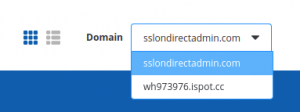
3. Enable SSL for the domain.
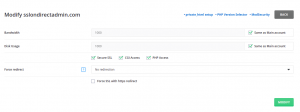
- Enable SSL for the domain from Domain setup.
Home >> Account Manager >> Domain Setup
Click on the domain name where you want to install SSL and enable Secure SSL
4. Now, proceed to SSL Certificates in the Account Manager.
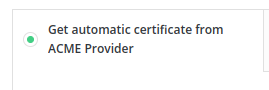
5. Click on the option Get automatic certificate from ACME Provider
6. Select the domains and subdomains where you want to install SSL and click on Save.
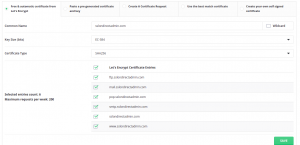
**Ensure that all the domains and subdomains you want to install SSL on are pointing to the server IP
7. You will receive a confirmation message once the SSL is successfully installed.
Installing a Free Let’s Encrypt SSL Certificate on DirectAdmin